Chapters
Manual homeChapter 14
Questions and problems
Where has my work got to?
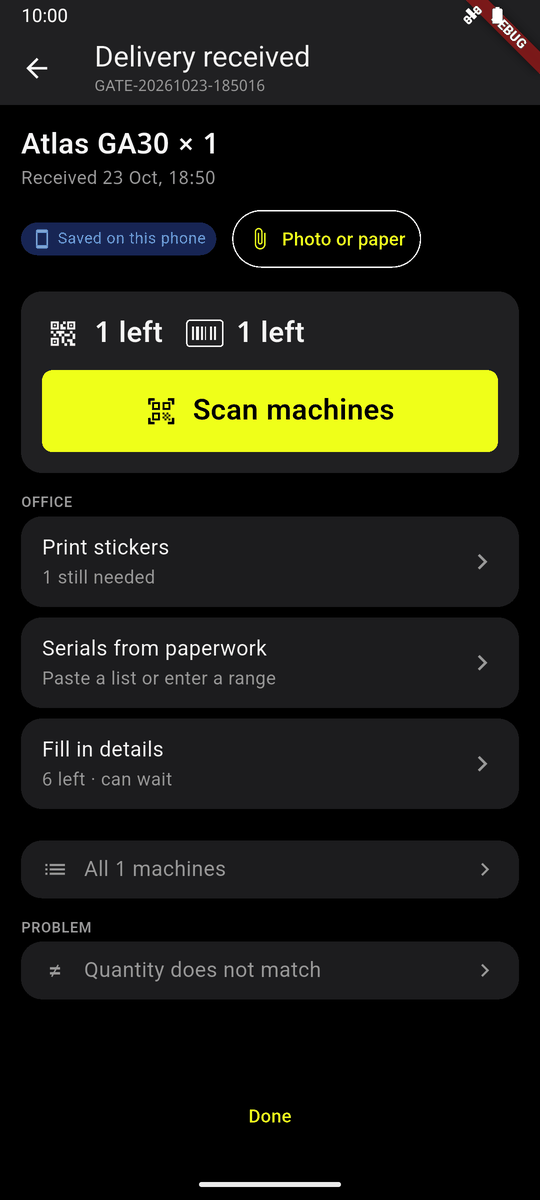
Wherever the phone shows a delivery, a machine or a tag, a pill says one of four things:
| It says | It means |
|---|---|
| Saved on this phone | Kept here. Not sent yet. |
| Waiting to send | Tried, not through yet. It goes by itself when there is a signal. |
| Sent and confirmed | AIS has it. |
| Failed and needs attention | AIS would not take it. Home says what and why. |
There is no signal
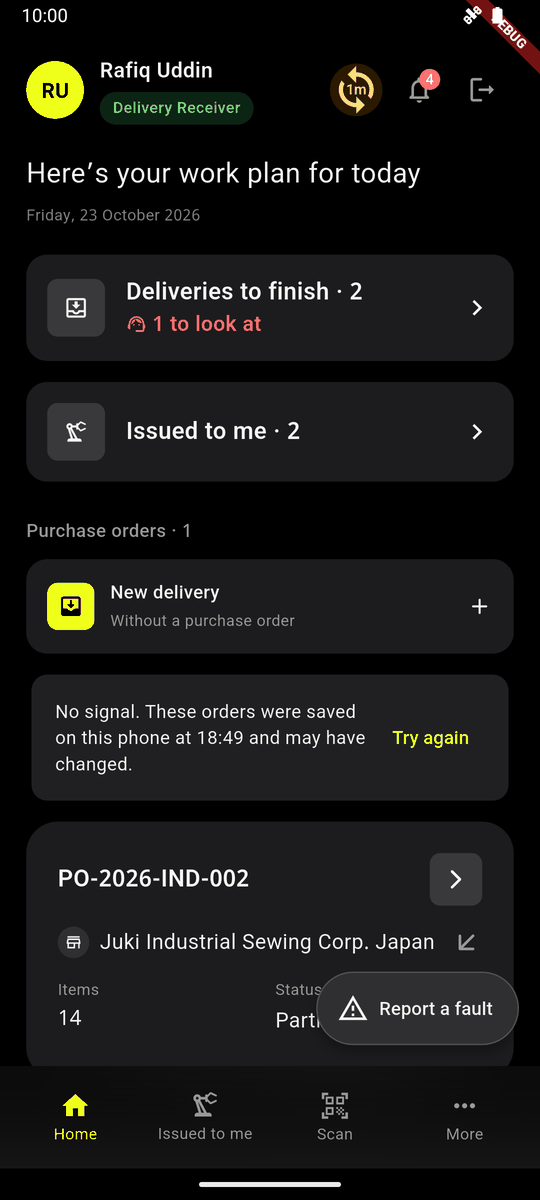
- Keep working. Receiving, scanning, handing over and faults are kept on the phone. A delivery received with no signal says Saved on this phone.
- Home shows the orders from the last time there was signal: No signal. These orders were saved on this phone at 18:49 and may have changed. The sync button shows how long ago it last synced.
- Work is sent when the signal comes back, while the app is open. Tap the sync button, or Try again, to send now.
- These need a signal: Quantity does not match, It has stopped, refusing or cancelling a handover, taking a lent machine back, Handover history.
Something failed
Home lists what AIS would not take, with what it said, and a way to try again. A delivery AIS will never take can be removed from the phone (it asks first).
A tag was refused
The tag is already on another machine, or somebody tagged this machine first. The phone takes it back off the machine; the machine waits for a tag again. It shows in To look at on Delivery received. Peel it off and use another tag.
The scanner will not read
- Hold one code in the box. One code means two are in view.
- Dark? On a phone with a torch, turn on the light (the round button at the bottom left of the camera).
- Tap inside the box to focus and read again.
- A serial number that will not scan: Find by serial.
Signed out by itself
Your account was switched off, or an administrator signed you out of all phones (a lost phone). Sign in again, or ask your administrator.
The website says I may not
Your role does not allow it. See chapter 2, or ask your administrator.