Chapters
Manual homeChapter 8
A machine's page
Who: everybody can open a machine's page. What you may do on it depends on your role.
Open a machine
Tap Scan at the bottom and point the camera at the machine's AIS tag. Its page opens: Asset details. You can also open it from a delivery's machine list.
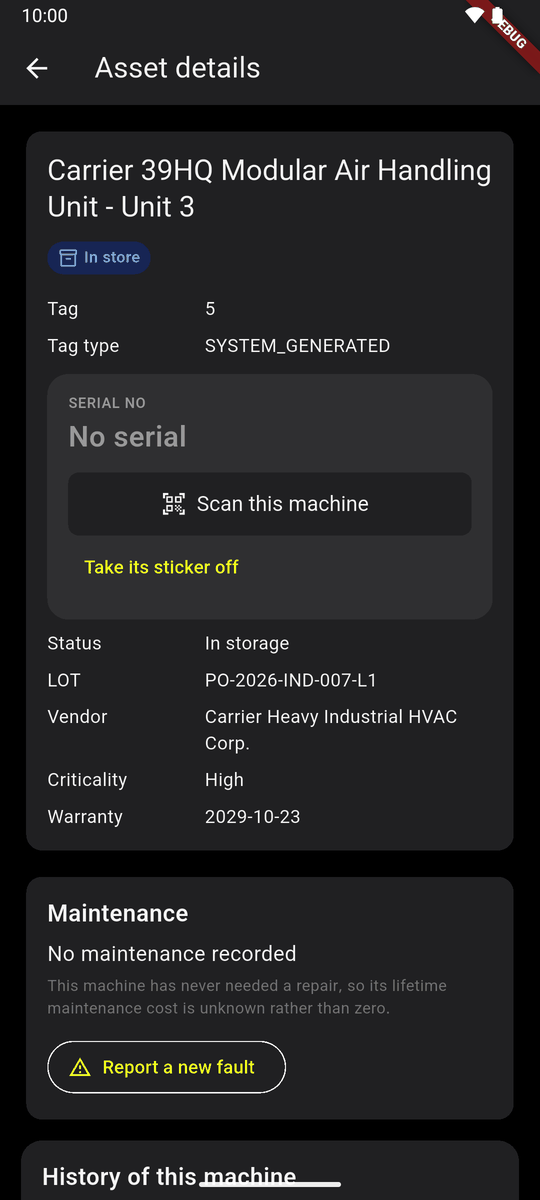
A machine's page At the top: its name, and where it is: In store, With Rafiq Uddin, at a line, or Waiting · Rafiq Uddin while a handover waits. Then its tag, serial, status, delivery, vendor, criticality and warranty.
Lower down: Maintenance, with Report a new fault, and History of this machine: everything done to it, who and when. Edit asset details is at the bottom.
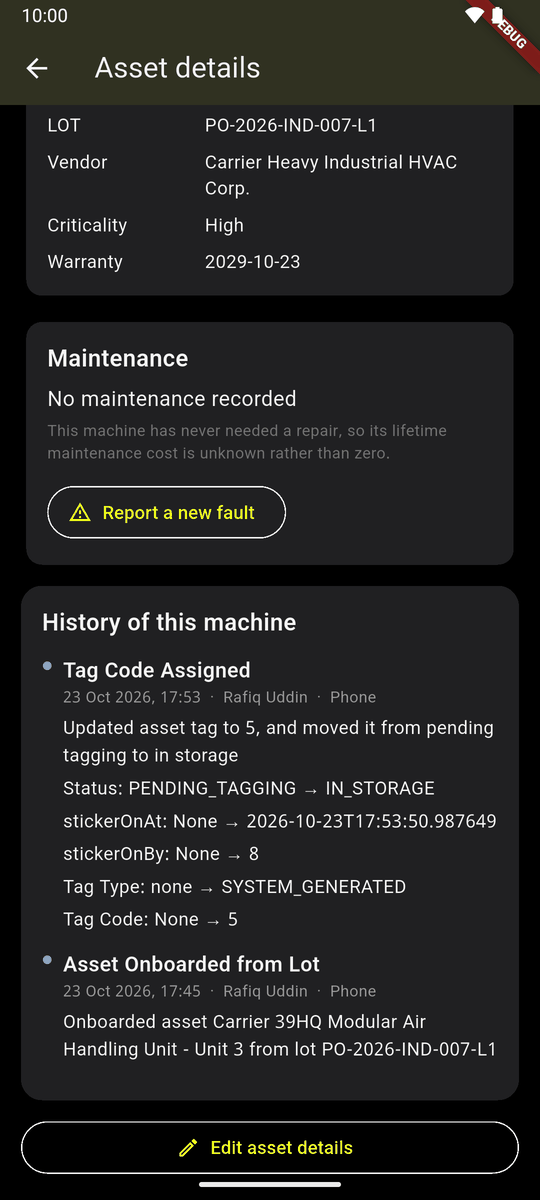
History of this machine 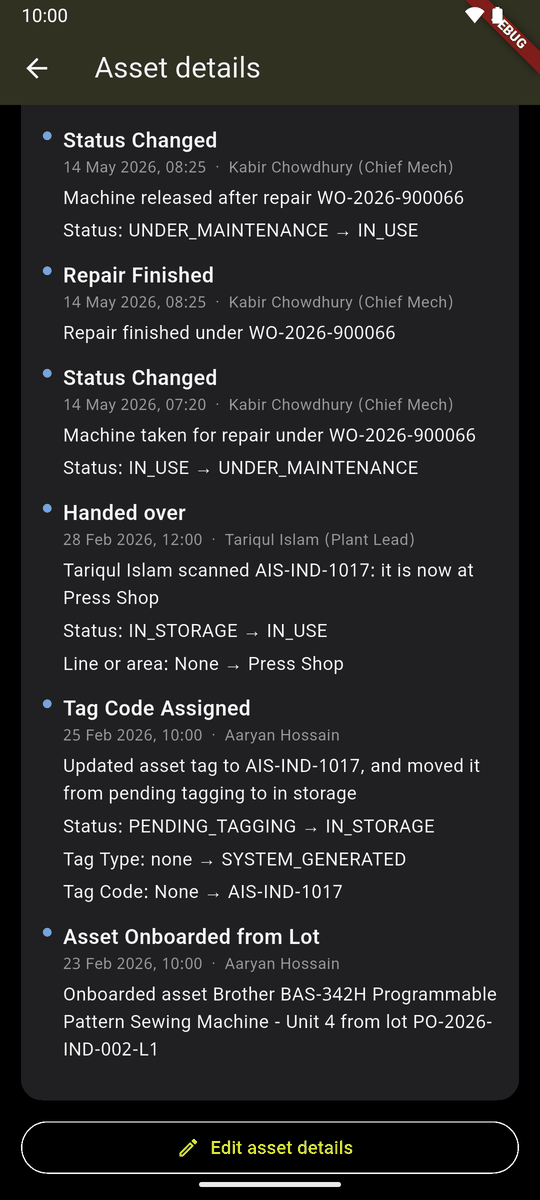
A history with a repair and a handover
If the machine is waiting to be handed to you, scanning it receives it instead (chapter 9).
Scan this machine
For a machine still missing its tag or its serial number, the page has Scan this machine.
Tap Scan this machine. The scanner opens with this machine on the card.
Scan the code it still needs. It turns green, with Wrong? Undo.
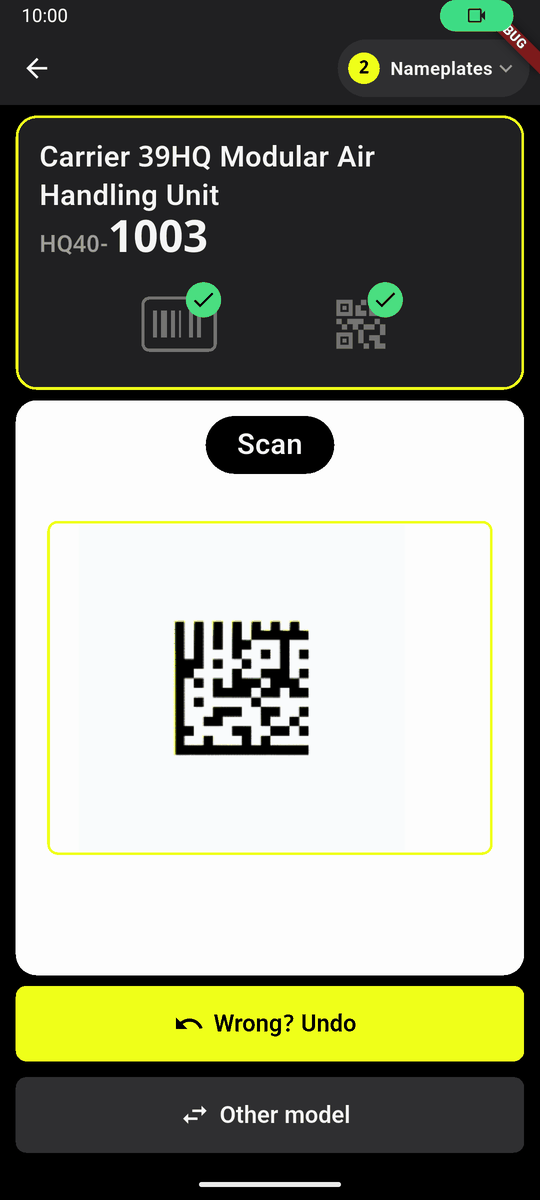
The scanner, with this machine picked The phone goes back to the page by itself. It shows what was saved and where it has got to, with Undo, until you leave the page.
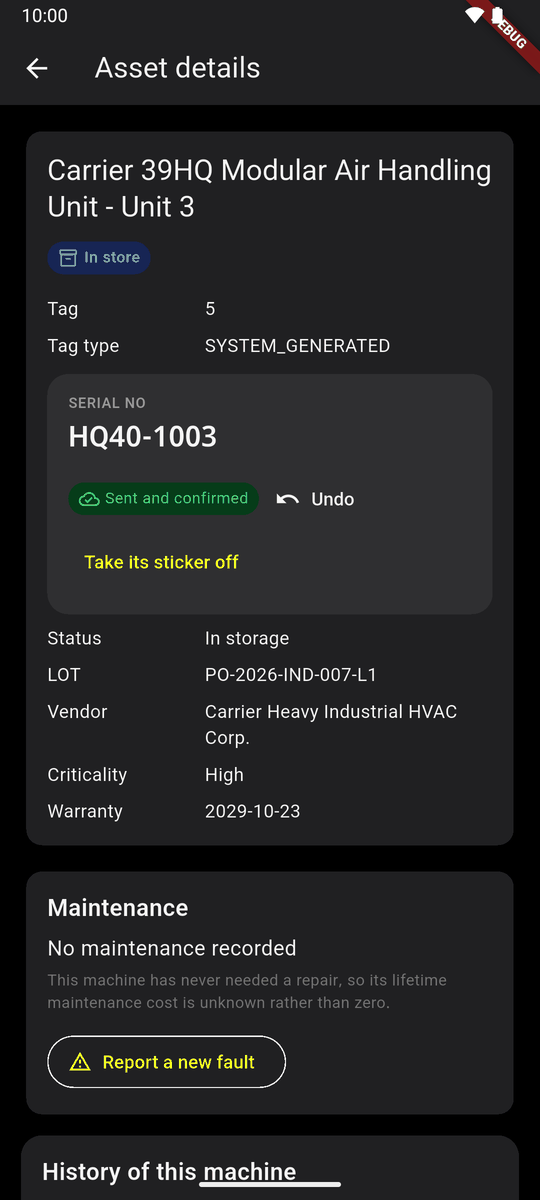
Back on the page: the serial, Sent and confirmed, Undo
Take its tag off
A tag torn, or put on the wrong machine.
Tap Take its tag off (under the serial). Say why if you like, and confirm.
Peel the tag off. The machine waits for a tag again. The code is free and can go on another machine.
In the store, whoever may tag can take a tag off. Once the machine has left the store, only whoever keeps the machines. Not while a handover of it is open.
On the website
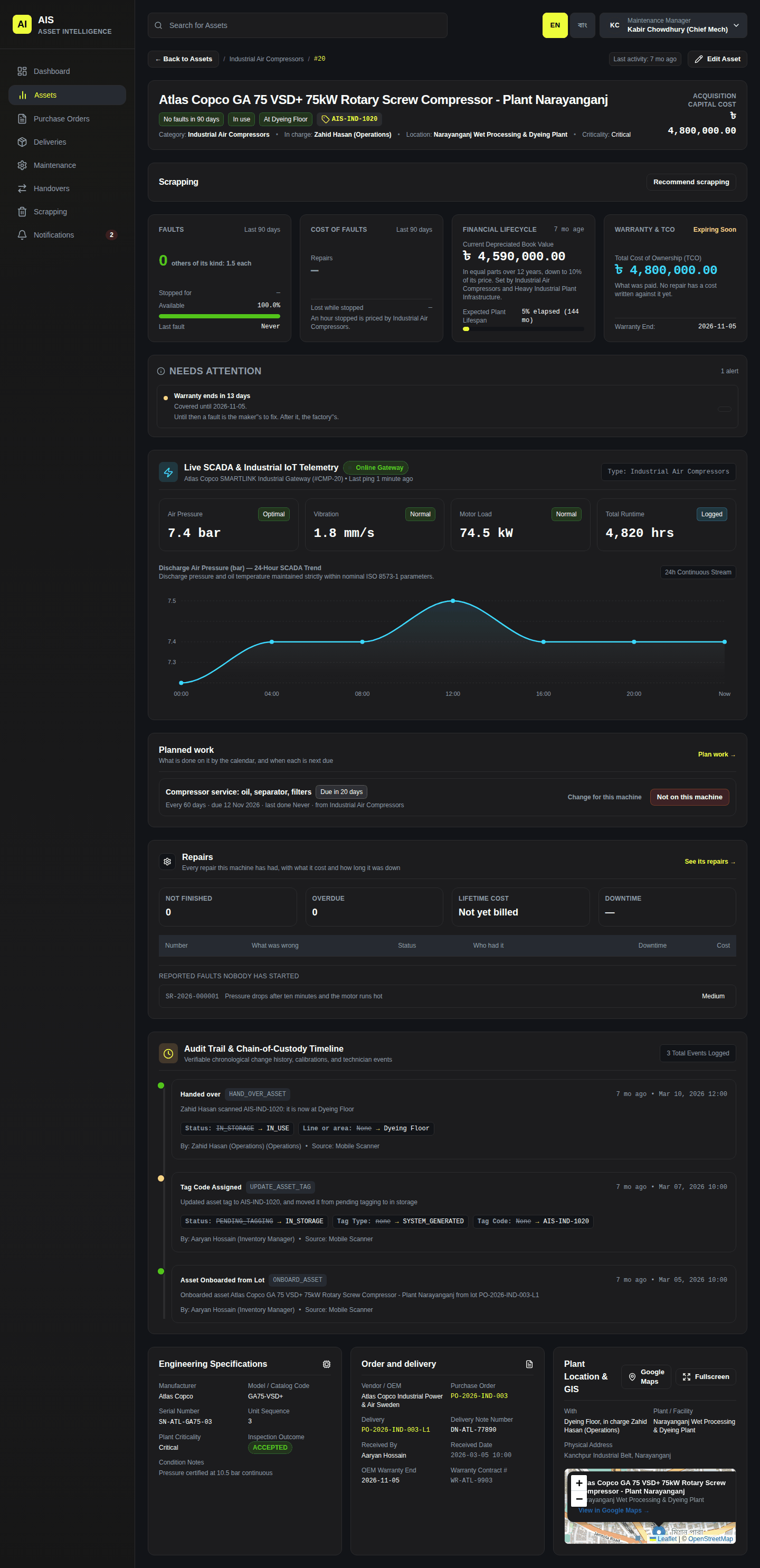
The same machine on the website: Assets, then click it. It shows its faults, repairs, planned work, history, and the delivery and order it came on.