Chapters
Manual homeChapter 11
Scrapping
A finished machine is scrapped in three steps, by three people. Each step is kept.
| Step | Who | Where |
|---|---|---|
| 1. Recommend | A maintenance manager or an administrator | Website (the machine or a repair), or the phone from a repair |
| 2. Approve or refuse | An administrator who did not recommend it | Website |
| 3. Record that it has gone | An inventory manager or an administrator | Website |
1. Recommend
On the machine's page, or on a repair, click Recommend scrapping.
Write Why should it be scrapped? and click Recommend. Nothing about the machine changes yet.
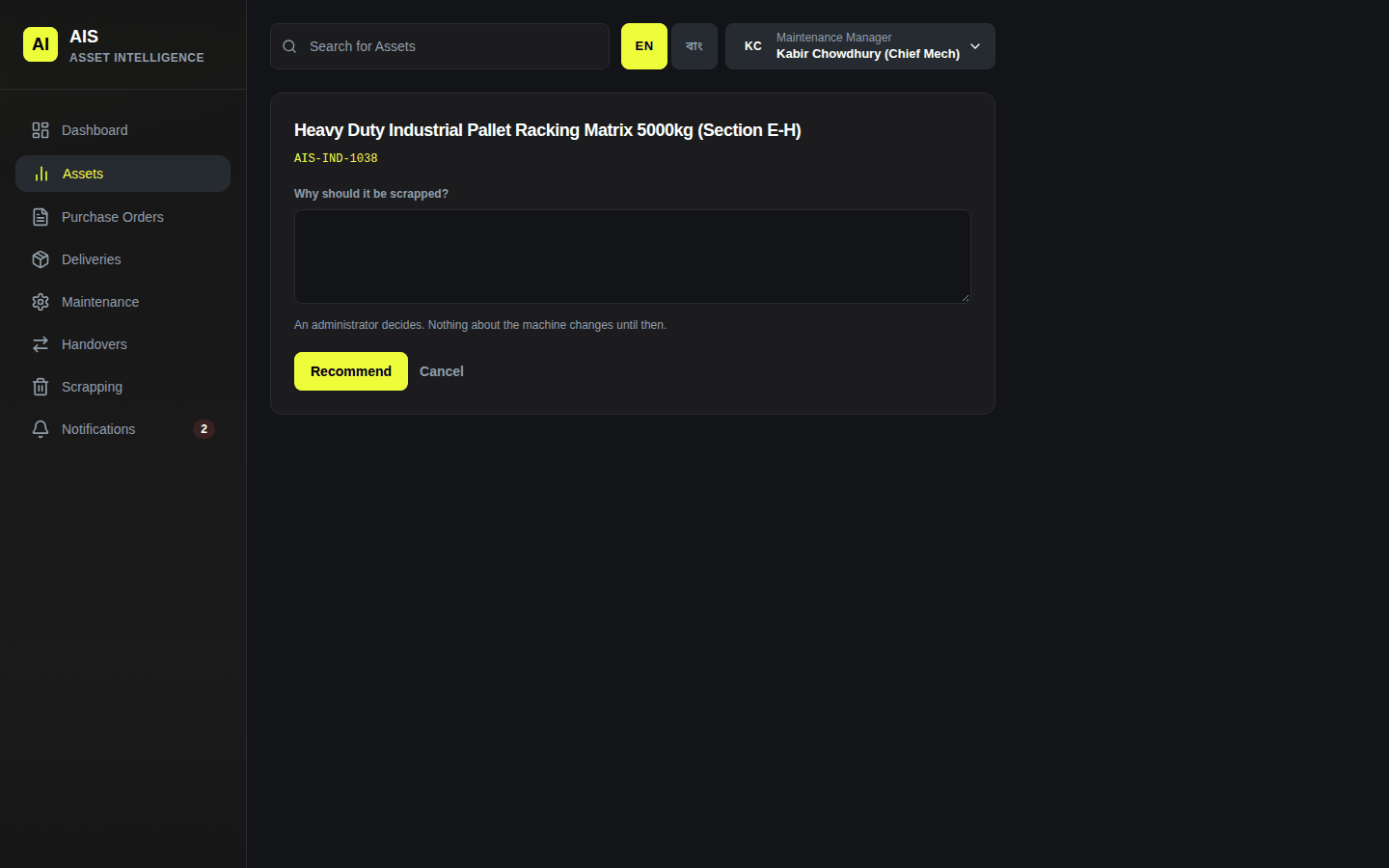
Recommending a machine for scrapping
On the phone it is on a repair: the ⋮ menu → Recommend scrapping. Write Why should it be scrapped? and tap Recommend. It needs a signal. Approving, recording that it has gone and putting back are done on the website only.
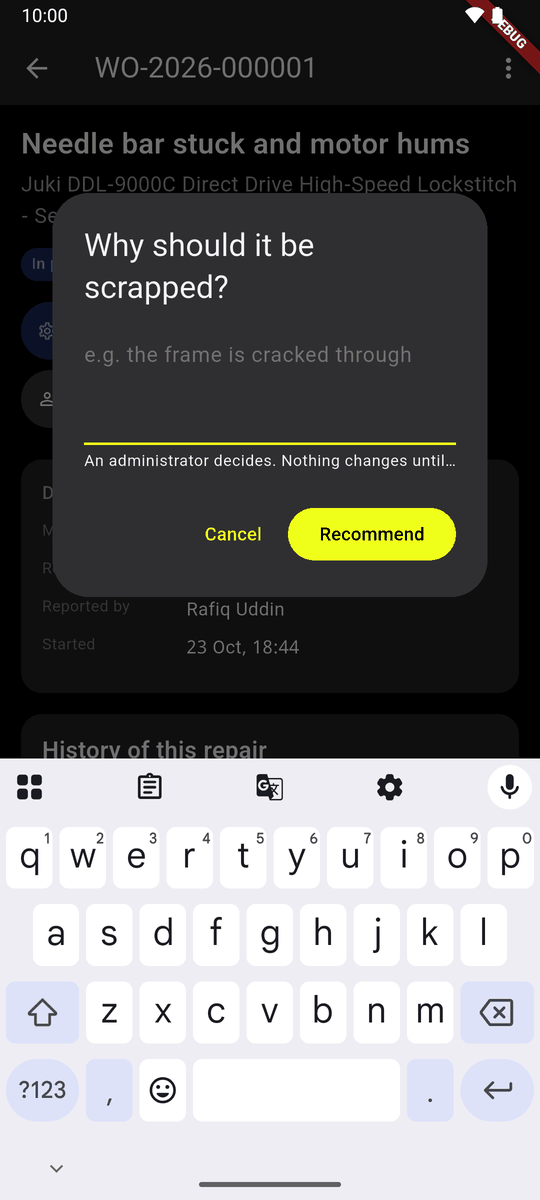
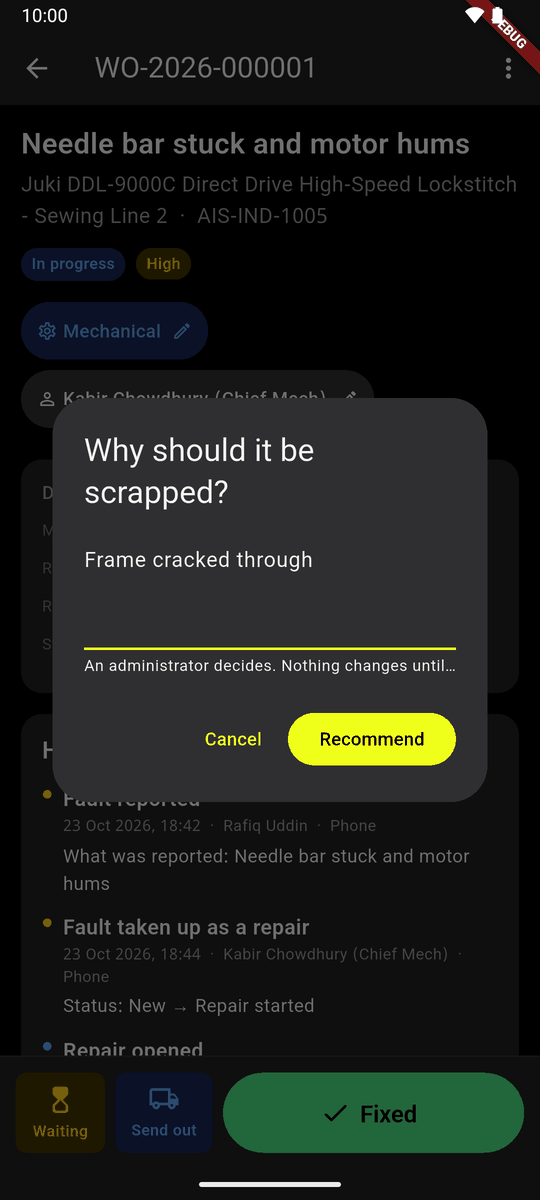
2. Approve or refuse
An administrator opens Scrapping → To decide.
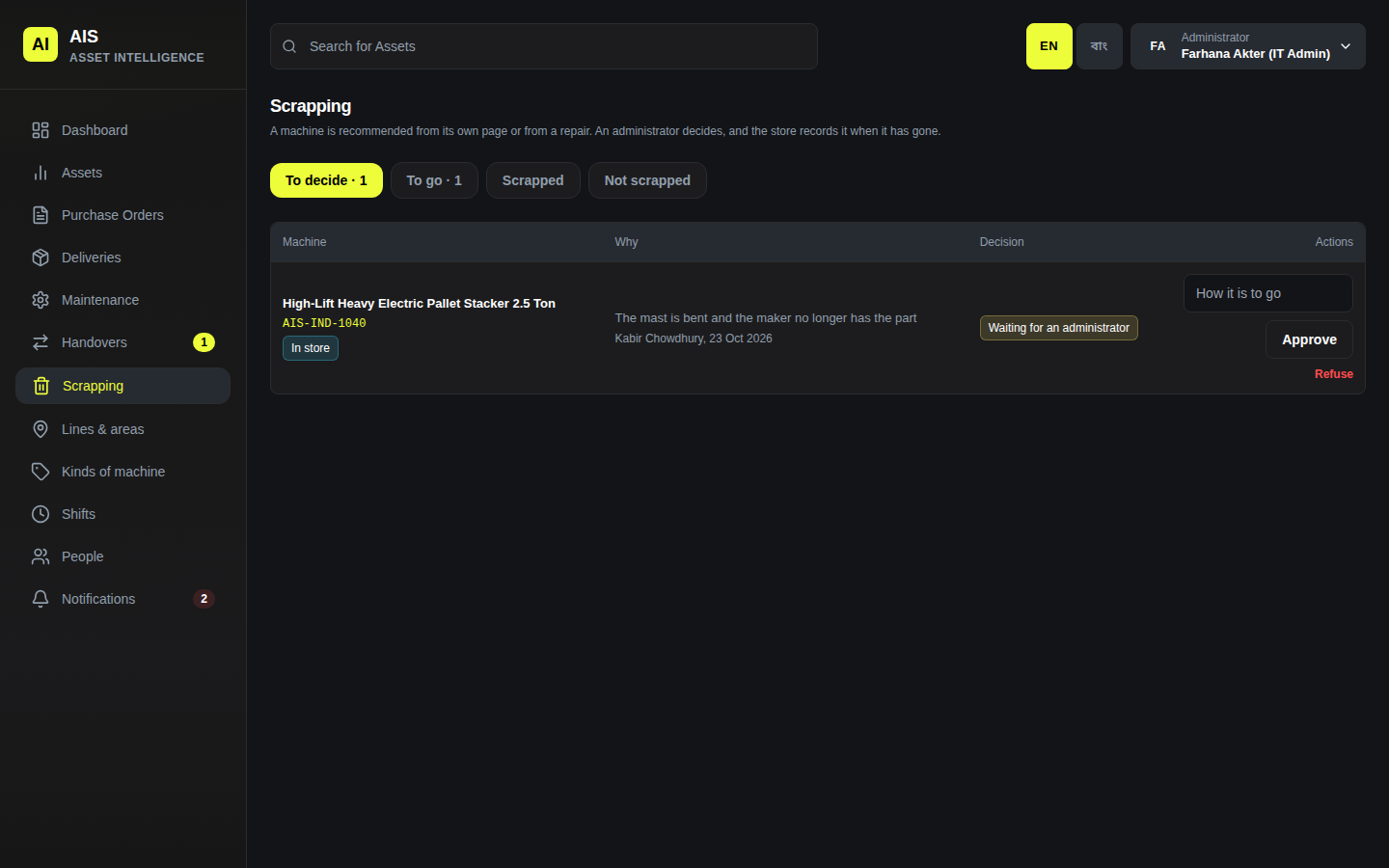
To decide Write How it is to go (sell for scrap, give back to the maker…) and click Approve. Or Refuse, saying why.
From now on the machine reads To be scrapped. No new fault, repair or handover is started on it. It can only go back to the store.
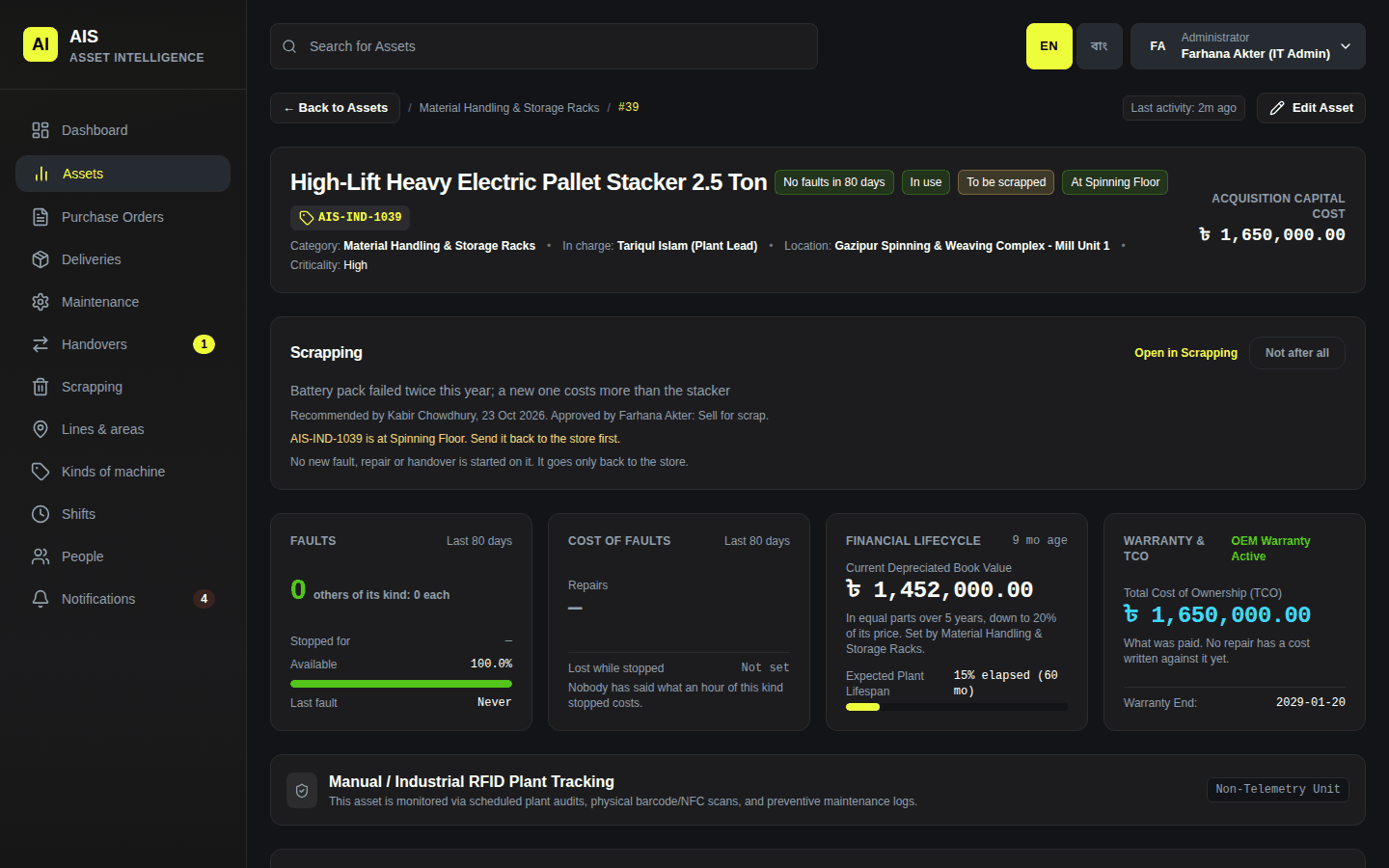
A machine approved for scrapping
Whoever recommended it cannot approve it. Somebody else has to.
3. Record that it has gone
The store opens Scrapping → To go.
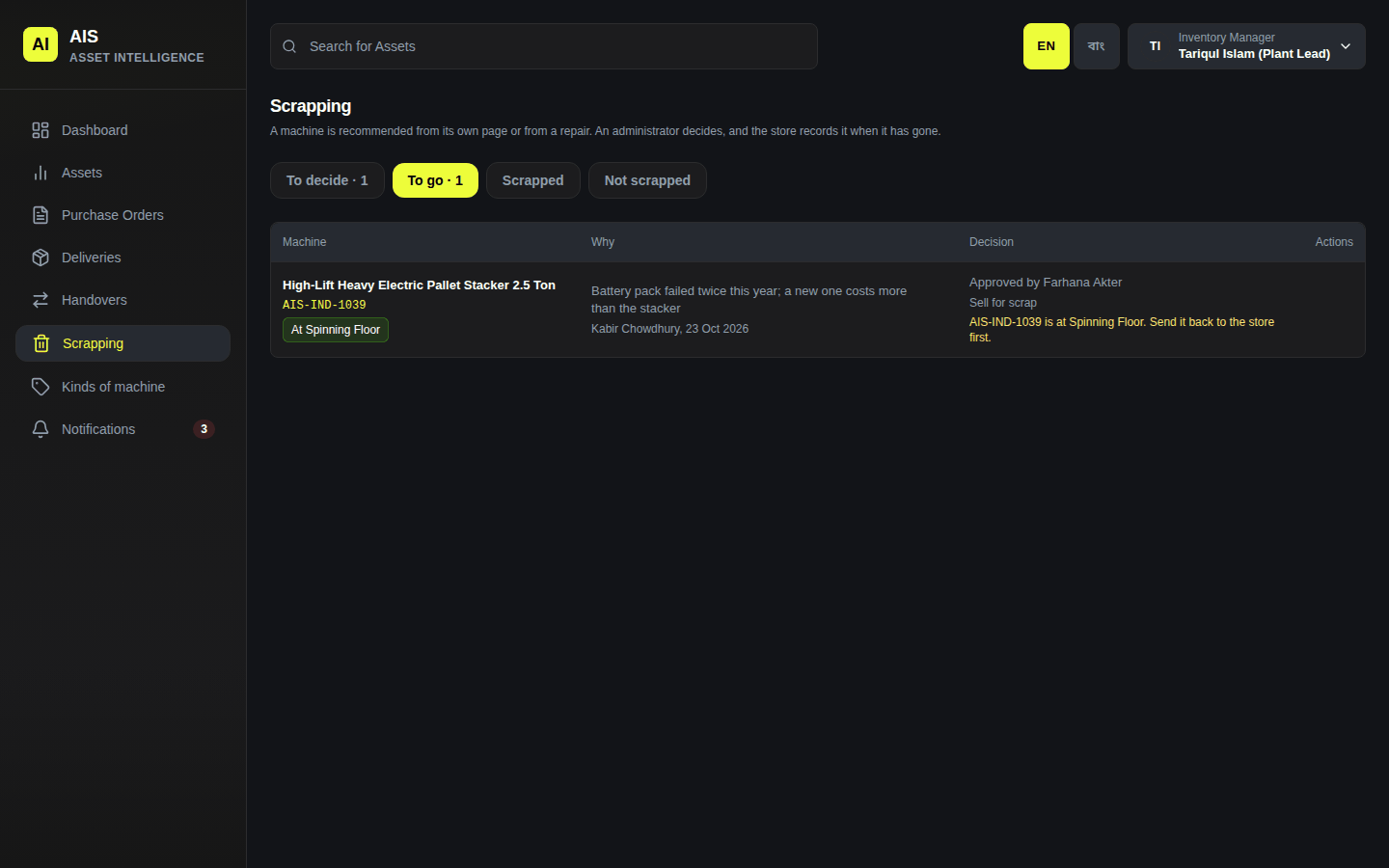
To go The machine must be in the store, with nobody, with no handover or repair open. Until then the row says what is in the way, for example Send it back to the store first.
When it is ready, click It has gone. Fill in How did it go?, Who took it? and On what day?, then click Record it. The machine is now Scrapped.
What it fetched and what removing it cost may be written too, by those who are shown money. They are optional.
A mistake
An administrator can put a machine back, with a reason: Not after all for an approved machine, Put back for one recorded as gone (on the Scrapping page or the machine's page). An approved machine goes on as before; one recorded as gone is back in the store.